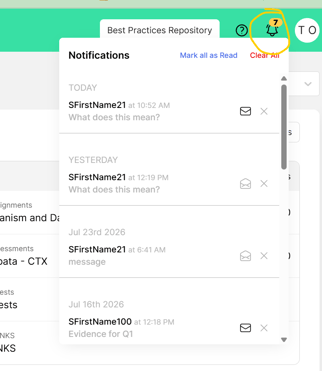
Students can highlight, annotate, and send questions to teachers using our live chat feature!
Here is how students will navigate this process:
[Student portal view]
Students can highlight different sections of their resources to support their essay writing. Once a section is highlighted, students will have a few options: 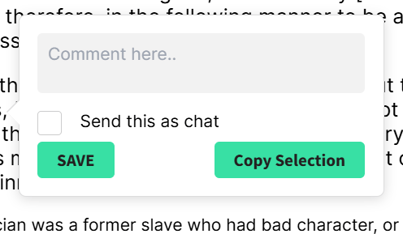
-
If they simply want to copy and paste the selection into their essay, they will chose "Copy Selection"
-
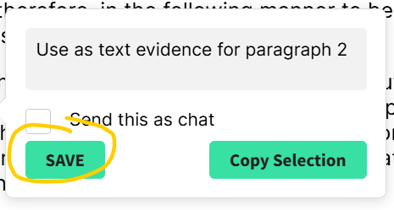
If they want to save the highlight to use for their essay, they can write themselves a comment in the comment box and click "Save"
-
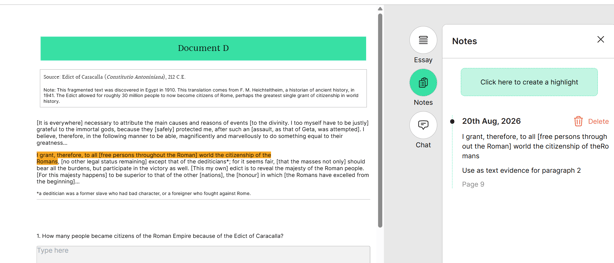
This selection will now become a part of their essay notes
-
- Lasty, students can use the comment box to ask their teacher a question on our live chat feature and select the "Send this as a chat" option:
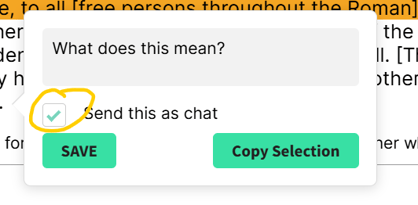
- Clicking "Save" will send a chat to the teacher with the highlighted section and the student's question:
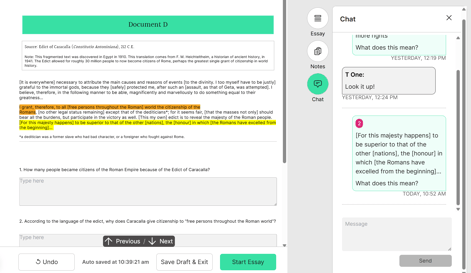
- Clicking "Save" will send a chat to the teacher with the highlighted section and the student's question:
[Teacher portal view]
To access the live chat on the teacher portal, navigate to the bell icon at the top, right-hand corner of the screen: