Nobody knows your students better than you do! If you are reviewing the individualized scores and feedback generated by our AI-informed grading, this is how you can edit those:
Start by navigating to a class period with student submissions. Hover over a score and select "View". This will open the resource.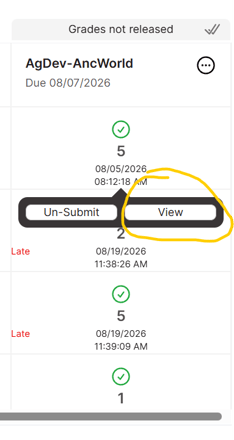
Click the "Essay" icon to access the student response and their individualized scores and feedback. 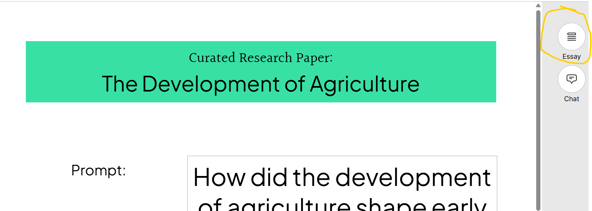
You will be able to see and expand the essay box. Review the scores and feedback by scrolling down. Click the "Edit feedback/scores" button to make the adjustments. 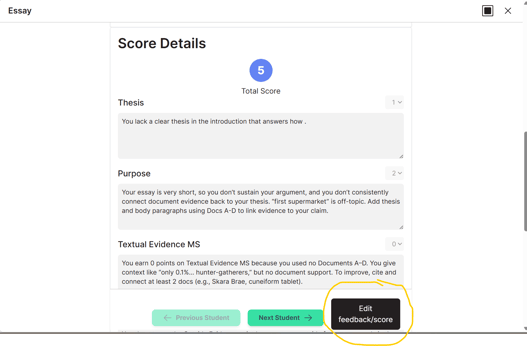
Once you have made your edits, click the "Submit Grade" button and then the "Next Student" button to move on to the next essay.